# Obtaining Credentials
> Source: https://parallelworks.com/docs/storage/transferring-data/obtaining-credentials
# Obtaining Credentials
You can use temporary credentials for bucket storage resources to make data transfers more secure.
Navigate to your **Home** page and start your storage resource. Once it’s active, click the key icon.
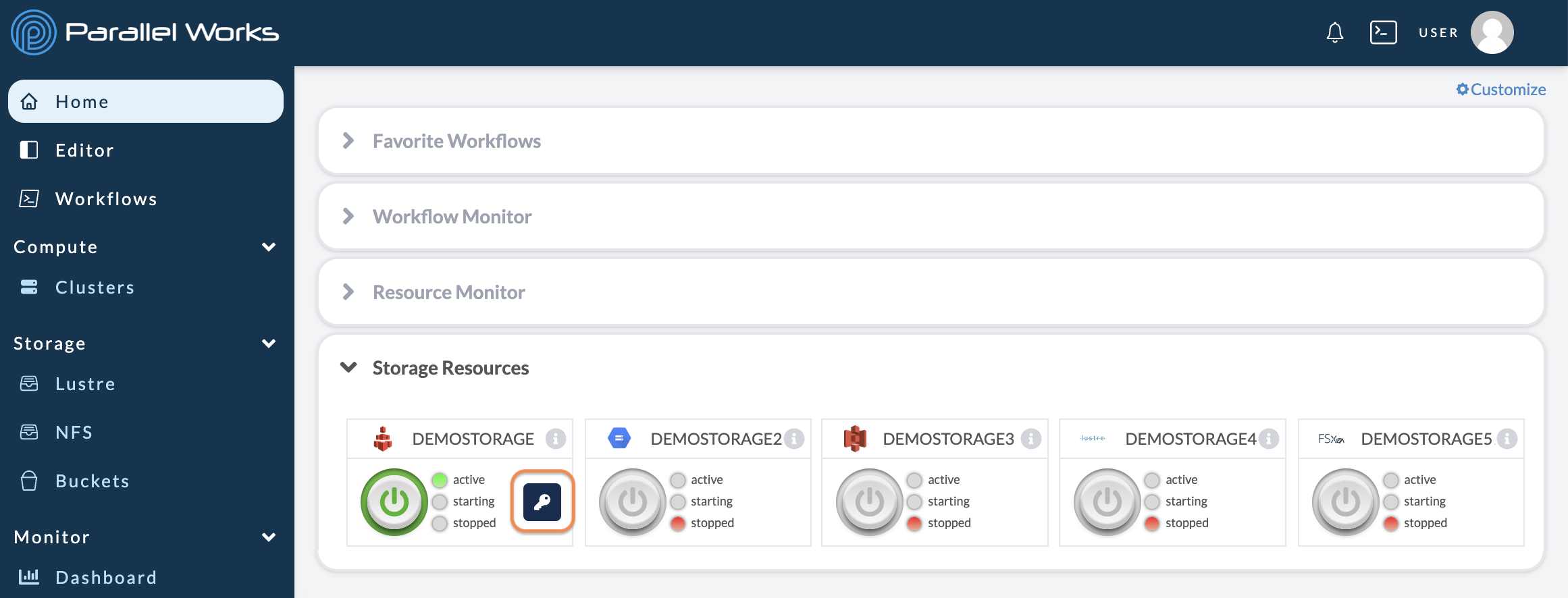
A module will appear, where you can copy your storage resource's credentials and commands for the corresponding CLI.
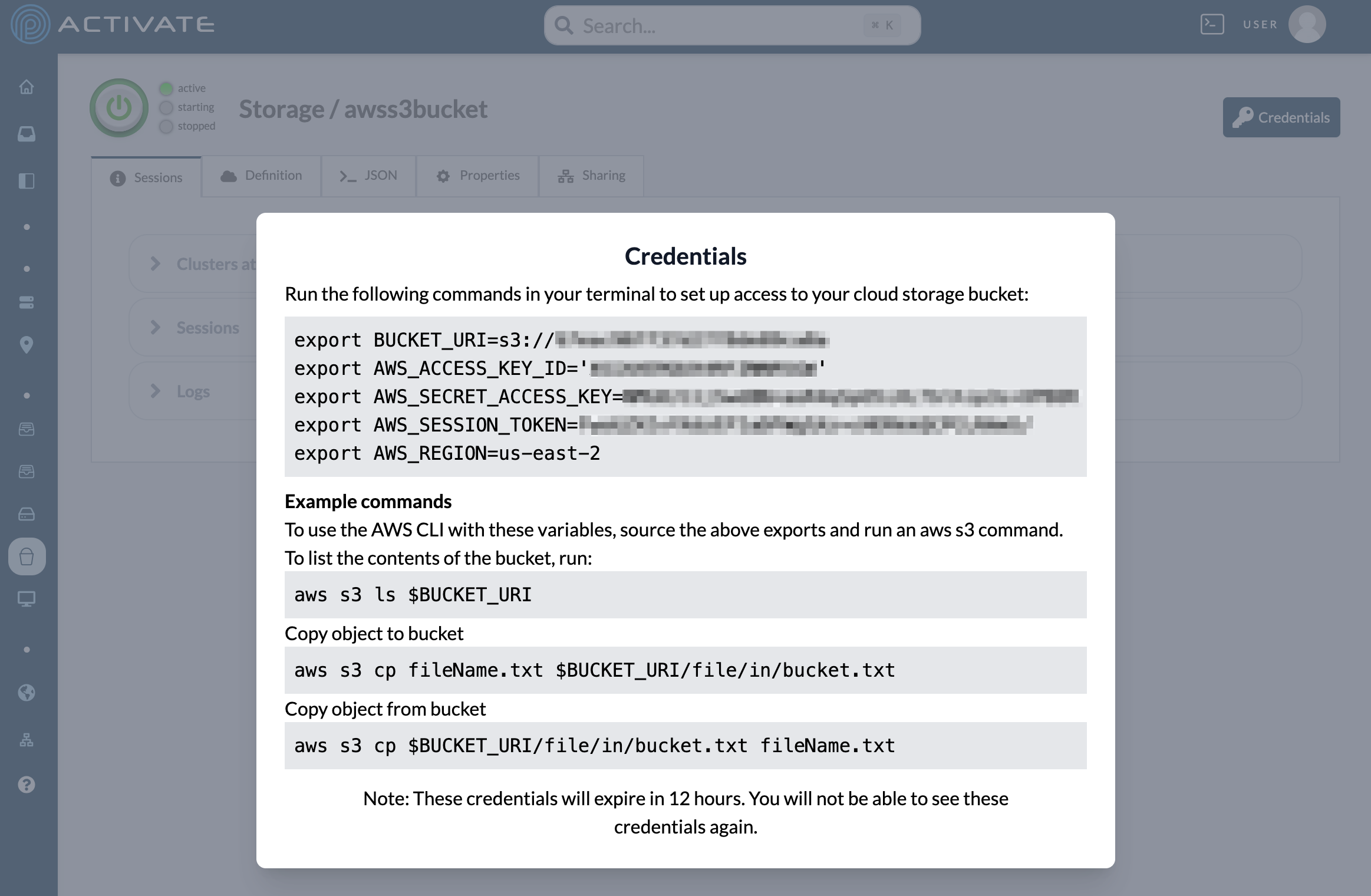
**AWS**
Credentials for AWS buckets expire after 12 hours.
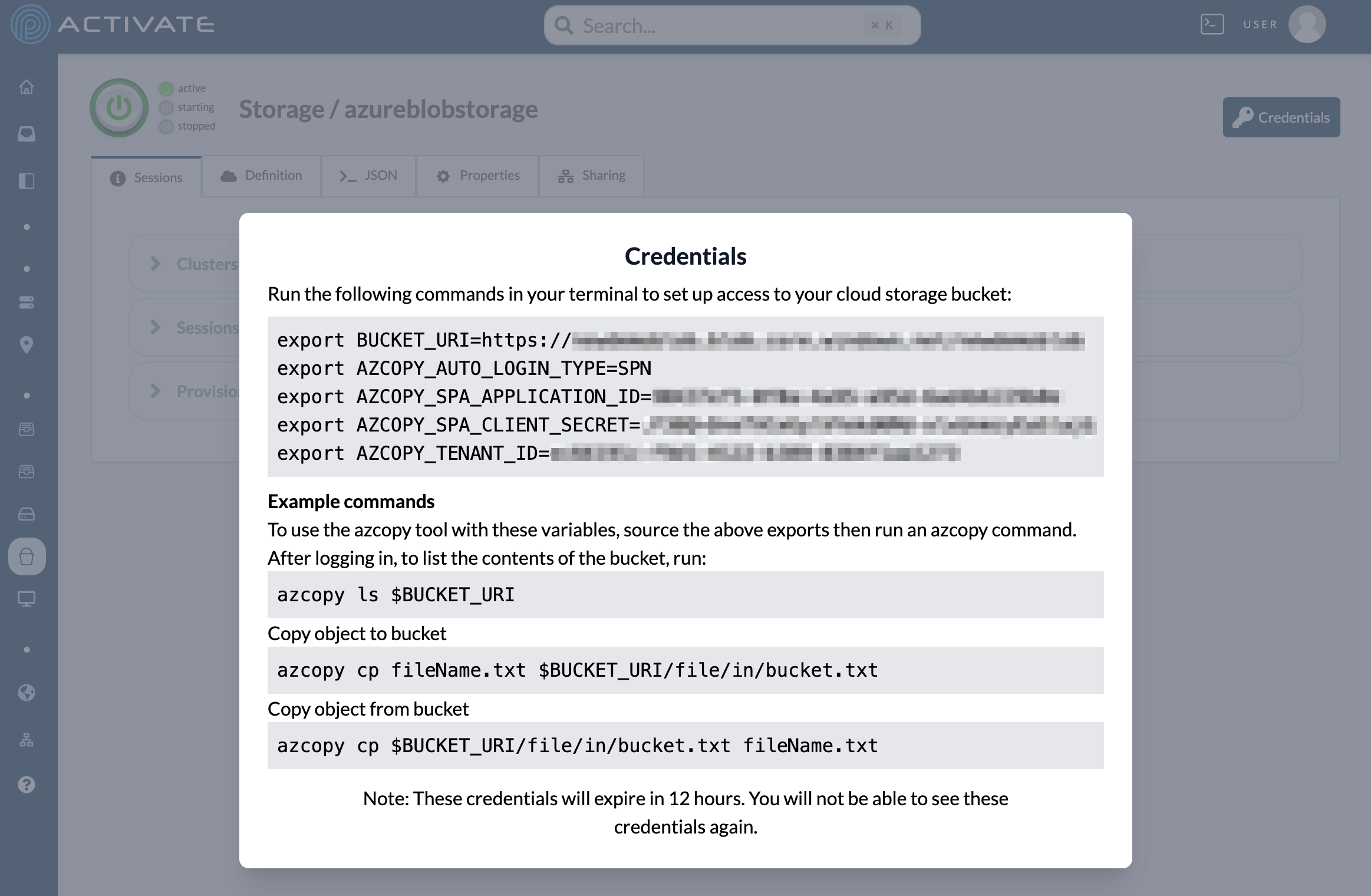
 **Azure**
Credentials for Azure Storage Accounts expire after 12 hours.
**Azure**
Credentials for Azure Storage Accounts expire after 12 hours.
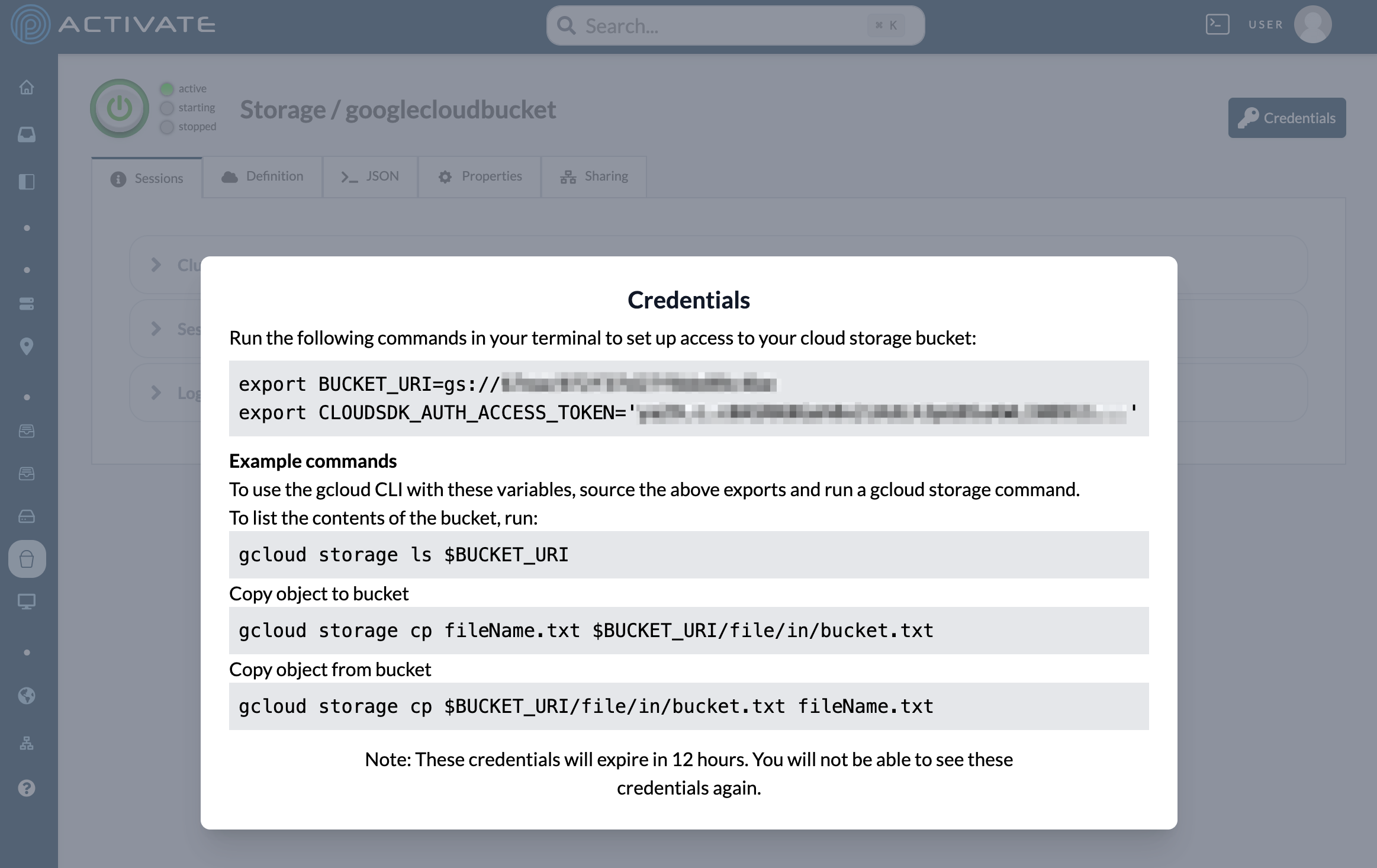
 **Google**
Credentials for Google Cloud Storage buckets expire after 1 hour.
**Google**
Credentials for Google Cloud Storage buckets expire after 1 hour.